Sago Mini World: Kids Games
- 3.8
- Rating
- 10.00M
- Installs
- Free
- Price

 Analysis by App-foxy
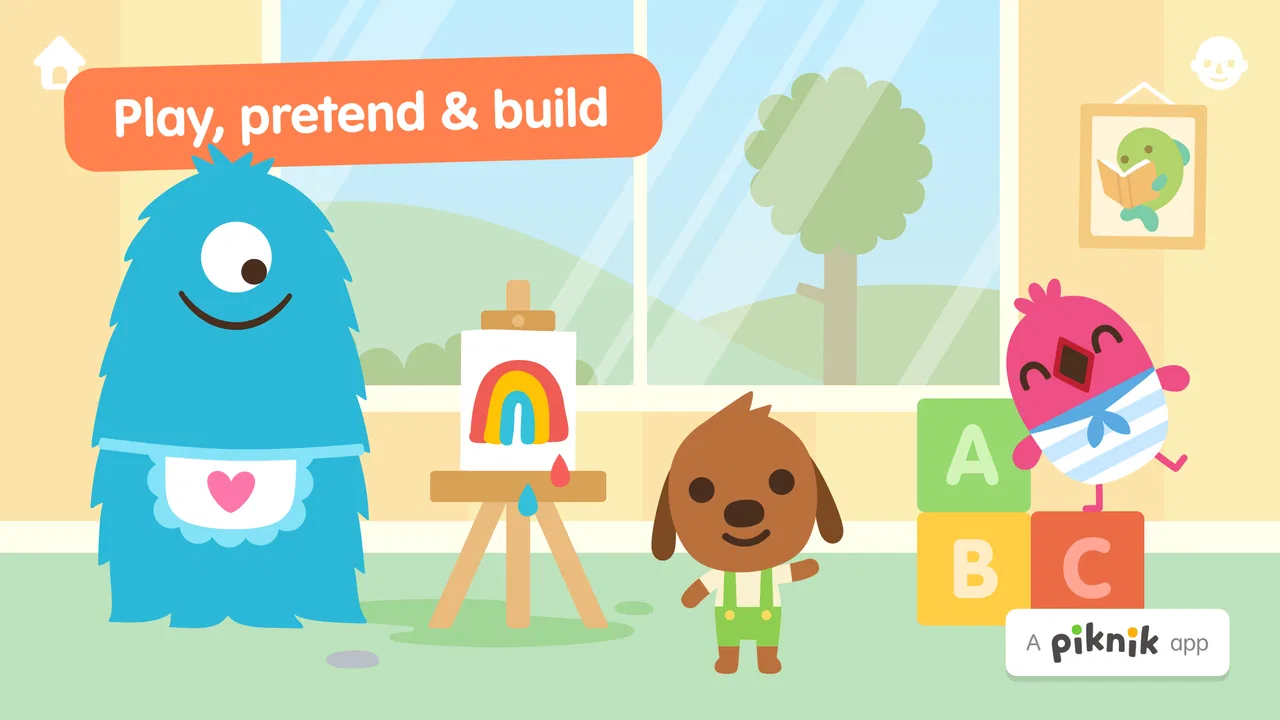
When I look at a game for very young children, I care less about flashy presentation and more about what happens during ordinary use: Can a child explore without pressure? Can an adult understand the spending model? Does the experience stay pleasant after the first few minutes? Sago Mini World: Kids Games is an educational game from Play Piknik aimed at babies, toddlers, and children from age two to six. My overall impression is that it is best understood as a large collection of gentle play spaces rather than a traditional game built around winning.
That distinction matters. A preschooler who wants quick creative activities may enjoy moving between playful scenes, while a child looking for levels, scores, or a clear challenge may find the experience unusually open-ended. I also think the purchase setup deserves attention before a family installs it. The game is free to download, and its in-app purchases range from $0.99 to $79.99 per item. That does not tell me exactly how every purchase appears in the child’s journey, so I would make the spending decision alongside the child rather than leaving the tablet entirely unsupervised.
What the game feels like in everyday family use
I would introduce this game during a short, calm play session rather than presenting it as a substitute for a full learning routine. A two-year-old can tap, drag, and discover reactions without needing to read instructions, while an older preschooler can use the same playful setting for longer imaginative sessions. The appeal comes from interaction and discovery, not from demanding that the child memorize rules or complete a difficult sequence.
You May Also Like

 Pandora - Music & Podcasts
Pandora’s Music Is Easy to Start, but Harder to Recover
Pandora’s strength is its low-effort path from a seed to a station. Its weak spot is how much confidence it asks you to place in connection, setup, and quiet recovery.

 8 Ball Pool
 Is Built on Rivalries, Rematches, and Routine
A close look at the rivalries, rematches, shared routines, and unanswered safety questions that turn a quick pool match into a persistent mobile community.

 Samsung Music
’s Quiet Strength Is Playing What You Already Own
Its reach comes less from spectacle than from dependable access to a personal library. That simplicity is both the app’s strongest retention engine and its ceiling.

 AccuWeather: Weather Radar
AccuWeather Review: A Quick, Clear Forecast for Everyday Decisions
For everyday plans, the best forecast is the one you can understand quickly. AccuWeather makes rain timing, radar, and local conditions easy to act on, with a few trade-offs.

 Hill Climb Racing
Why Hill Climb Racing Still Turns Crashes Into One More Run
A tiny car, a bumpy hill and one more upgrade: Hill Climb Racing keeps resurfacing because its simple chaos makes every near-miss feel personal.

 AliExpress - Shopping App
AliExpress Makes Global Shopping Feel Personal, but Shoppers Bear the Risk
AliExpress turns a global marketplace into a pocket-sized discovery engine. Its reach is useful, its shopping loop compelling, and its trade-offs easy to miss.
More From Our News Desk
View All News


That makes it particularly useful in small gaps during the day. A parent waiting for an appointment, a child settling down after dinner, or a preschooler needing a quiet activity while an adult handles a nearby task are realistic situations where its style makes sense. I would still stay close enough to check what the child is doing, especially because young children can move quickly through menus and may not understand the difference between playing and making a purchase.
The age range is broad, covering children from two to six, and that creates both flexibility and a limitation. A two-year-old and a six-year-old do not use a game in the same way. The younger child may enjoy simple cause-and-effect interactions, whereas the older child may want more purposeful goals or a stronger sense of progression. In my view, the game works best when the adult adjusts expectations instead of assuming one experience will suit every child equally.
Its educational category should also be interpreted sensibly. I would call it learning through play, not a structured lesson app. It can support curiosity, attention, imaginative storytelling, and basic interaction with digital objects, but I would not use it as the only tool for early reading, mathematics, handwriting, or a planned curriculum. Families wanting visible exercises and measurable practice may be happier with a dedicated preschool learning app.
A softer alternative to score-driven children’s games
Many children’s games rely on stars, timers, rewards, or repeated attempts. Those systems can be motivating, but they can also make a child focus on finishing rather than exploring. Sago Mini World takes a different direction in spirit: the child can spend time experimenting with the environment instead of constantly proving performance. I see that as a strong fit for children who become frustrated by mistakes or who are still learning how touch controls work.
The trade-off is that adults may have less obvious evidence of progress. If you expect a report showing which skills were practiced or a sequence of completed lessons, this will feel less informative than a conventional educational program. The absence of pressure is pleasant, but it also means the child may wander, repeat favorite actions, and stop without a clear endpoint. That is not necessarily a flaw for free play; it is simply the kind of experience this is.
One practical tip is to give the child a small invitation rather than an instruction such as “finish the game.” I might suggest creating a short story, finding a particular kind of interaction, or showing me what happens in a scene. This turns open-ended play into a shared activity without adding competitive pressure. It also helps an adult notice whether the child is genuinely engaged or merely tapping randomly.
How progression feels without a race
I would not install this expecting a conventional campaign. The important question is not whether a child can reach the next stage, but whether the available play remains interesting after the novelty fades. For younger children, repetition can be valuable because they enjoy seeing the same reaction again and gradually become more confident with touch controls. For older preschoolers, the same lack of a clear route may require more adult involvement.
This is where the game can be either relaxing or underpowered, depending on the child. A child who invents stories and likes revisiting familiar characters may get plenty from a flexible world. A child who asks, “What do I do now?” may need a parent to offer ideas. I would treat that as an opportunity for joint play, but families seeking an activity that runs independently for a long time should keep the limitation in mind.
Another useful approach is to use the game as a transition rather than a reward ladder. A short session before bath time or while waiting for a meal can work better than leaving it open indefinitely. Because the experience is not centered on winning, stopping may be easier if the adult gives a clear time boundary in advance. Young children can still resist turning off any enjoyable screen, but the conversation is less likely to become a dispute over losing progress.
Fairness, spending, and the part parents should check
The game is free, which makes trying it less complicated at the starting point. However, the presence of in-app purchases means the family’s experience depends partly on how the adult handles the device and account. The listed purchase range begins at $0.99 and reaches $79.99 for an individual item. Those figures are important because the upper end is not a minor impulse purchase for most households.
I would therefore make the payment decision before handing the device to a child. If I wanted to explore the game without spending, I would begin by using only what is available at no cost and observe whether that already suits the child. If I decided to buy something, I would do it deliberately, with the child away from the purchase screen, and explain that tapping an attractive object does not automatically mean it belongs to us.
From a fairness perspective, this is not a competitive multiplayer game where spending could give one child an advantage over another. There is no reason for me to judge it by the standards of a ranked game or a pay-to-win battle system. The more relevant fairness question is household control: Can the child enjoy the activity without feeling pushed toward paid content, and can the adult keep purchases intentional?
I would avoid promising a child that every part of the experience is available unless I had already checked the purchase arrangement on that device. The listed facts establish that optional purchases exist and that individual items can vary substantially in price, but they do not give me a complete map of how each item is presented. That is one of the few areas where a parent should inspect the current purchase screens personally rather than rely on a general description.
What I would watch during a first session
My first check would be whether the child can understand the basic interaction without constant help. A good preschool game should let the child try things safely, but different children have different control skills. I would sit beside the child for the opening session, not only to explain gestures but also to see which activities hold attention and which ones cause confusion.
My second check would be the balance between independent play and adult prompting. If the child quickly begins telling stories or exploring without asking for help, the game may work well as a flexible activity. If every few seconds bring a question about where to tap next, I would use it as a co-play experience instead of expecting independent use.
My third check would be emotional response. Some children enjoy a quiet world with no pressure; others need a visible goal to stay interested. I would notice whether the child is curious, calm, and willing to stop, or whether the session becomes repetitive and difficult to end. That observation is more useful than assuming that a strong store presence automatically means a good match for every preschooler.
A fourth check concerns spending behavior. I would watch whether the child can move around without repeatedly encountering something that looks like a required step. If purchase prompts become the main focus, I would stop and review the setup before continuing. I do not need to assume bad intent to take that precaution; young children simply do not have the experience to judge digital purchases.
Device fit, age, and practical expectations
The game is rated Everyone and supports devices running Android 7.0 or later. That makes the technical entry requirement relatively approachable for families using older compatible Android hardware, although the age rating should not be confused with a promise that every child will use it independently. A two-year-old still benefits from an adult nearby, even when the content itself is designed for young children.
The current version is 8.6, and the game has been available since September 10, 2018. Its long presence and reach are useful context, but I would not treat popularity as proof that it fits a particular child. It has over 10 million installs, an average rating of 3.6 from around 46 thousand ratings, and about 3.2 thousand written reviews. Those figures suggest a widely tried product with mixed enough feedback to justify a personal test rather than an automatic recommendation.
I also appreciate that the developer is clearly identified as Play Piknik, which gives parents a straightforward name to look for when checking the correct installation. I would still confirm the app identity before downloading, especially on a shared family device where several similarly named children’s products may appear in search results.
Where it beats ordinary alternatives
Compared with a worksheet-style preschool app, this game is more inviting for a child who learns by touching, observing, and pretending. It does not ask the child to sit through a sequence of formal tasks before anything feels rewarding. Compared with a simple single-purpose toddler game, it offers a broader setting for families who want variety instead of repeating one matching or coloring activity.
Compared with highly competitive children’s games, its gentler structure is a meaningful advantage. There is less reason to worry about a child chasing a score, failing in front of others, or treating every mistake as a setback. That makes it a reasonable choice for a quiet household activity and for children who respond poorly to pressure.
But a focused alternative can be better when the goal is specific. If I wanted phonics practice, number recognition, handwriting preparation, or a clear skill sequence, I would choose an app designed around that purpose. If I wanted a game that teaches children to plan moves, manage resources, or follow increasingly difficult rules, I would look elsewhere. This title’s strength is broad playful discovery, not academic measurement or strategic challenge.
Who should skip it
I would skip it for a child who needs explicit instructions and a strong sense of completion in every session. The open-ended style may feel aimless to a preschooler who prefers puzzles with one correct answer or games with a visible next level. I would also hesitate if the family’s main concern is avoiding all purchase decisions, because the listed in-app purchase range means an adult should take responsibility for account controls and supervision.
It may also be a poor fit for parents who want a screen activity that can be handed over with no introduction. Even a child-friendly design does not remove the need to explain boundaries, especially around tapping, navigation, and purchases. For a family that wants a tightly structured lesson with clear evidence of improvement, a curriculum-focused app will probably provide more useful feedback.
My trust verdict after weighing the trade-offs
I see Sago Mini World: Kids Games as a pleasant choice for families who value imagination, low-pressure exploration, and shared play with young children. Play Piknik has positioned it as an educational game for the early-childhood age range, and I think that description works best when “educational” means learning through interaction rather than completing formal lessons.
The spending side keeps my recommendation measured. The game is free to start, but purchases from $0.99 to $79.99 per item make adult oversight essential. I would not describe that as a reason to reject the game automatically, and I would not assume that every family will encounter the same purchase path. I would simply make the decision consciously, check the available content on the intended device, and keep the child out of account-level payment choices.
My final recommendation is strongest for a two-to-six-year-old who enjoys pretend play and discovery, with a parent willing to join occasionally and set clear screen boundaries. The best way to use it is as a calm, guided play box—not as a complete preschool curriculum or an endlessly self-managing babysitter. If that matches what you want, the free starting point makes it reasonable to try. If you need measurable lessons, competitive challenge, or completely frictionless spending, another kind of children’s app will serve you better.
In short, Sago Mini World: Kids Games earns my cautious recommendation because its low-pressure style can make digital play feel more creative and less like a test. I would install it for the right child, begin with a supervised session, and judge its value by the child’s actual engagement rather than by the install count or rating alone. That approach keeps the strengths visible while handling the purchase and progression questions honestly.
FAQs for Sago Mini World: Kids Games
01What is Sago Mini World and who is it for?
Sago Mini World is an app designed for young children, offering a collection of educational games that foster creativity and learning. It’s ideal for kids aged 2-5, providing a safe and ad-free environment. Parents can expect a variety of activities that promote imaginative play and early childhood development.
02Is Sago Mini World safe for my child to use?
Yes, Sago Mini World is a safe platform for children. It is ad-free, ensuring that kids aren’t exposed to inappropriate content. The app also doesn’t include in-app purchases, so parents can rest assured that accidental purchases won’t occur. Children can explore and learn in a secure digital space.
03Does Sago Mini World require an internet connection?
Sago Mini World can be used offline after initial download and installation of the games. This feature makes it convenient for travel or situations where Wi-Fi may not be available. However, an internet connection is needed for updates and to download additional content that may be released.
04What types of games are included in Sago Mini World?
The app includes over 30 engaging games that cover a wide range of themes such as music, animals, space exploration, and more. Each game is designed to inspire creativity and learning through play. From building imaginary cities to exploring underwater worlds, there’s plenty to keep young minds entertained.
05Is there a subscription fee for Sago Mini World?
Yes, Sago Mini World operates on a subscription model. Users can choose between monthly or annual subscriptions, with a free trial available for new users. The subscription grants access to all games and new content updates, ensuring a continuous stream of fresh activities for children to enjoy.
Pros
- Engaging
- colorful graphics captivate children.
- Wide variety of mini-games keeps it interesting.
- Encourages creativity and problem-solving skills.
- Simple interface tailored for young users.
- Offline play available for uninterrupted access.
Cons
- Requires subscription for full content access.
- Large app size may affect device storage.
- Limited educational content depth.
- Occasional in-app purchases can be distracting.
- Some games may become repetitive over time.

Sago Mini World: Kids Games
Gallery